 listicle
Best Ergonomic Office Chairs for Back Pain
Table of Contents
- Top Ergonomic Office Chairs for Back Pain: Quick Comparison
- How We Evaluated These Chairs
- Premium Options: Maximum Spinal Support
- Mid-Range Chairs: Balance of Cost and Ergonomic Performance
- Budget-Friendly Chairs: Effective Support Under $500
- Ergonomic Chair Adjustment Guide: Proper Setup for Back Pain Relief
- How to Sit at a Desk With Back Pain: Posture and Positioning
- Key Features That Matter for Back Pain Relief
- Frequently Asked Questions
Last Updated: October 4, 2026
Top Ergonomic Office Chairs for Back Pain: Quick Comparison
When back pain strikes during your workday, the chair you're sitting in either helps or hurts. Choosing the right chair is often the first step toward relief. (Source: Occupational Safety and Health Administration (OSHA) guidelines)
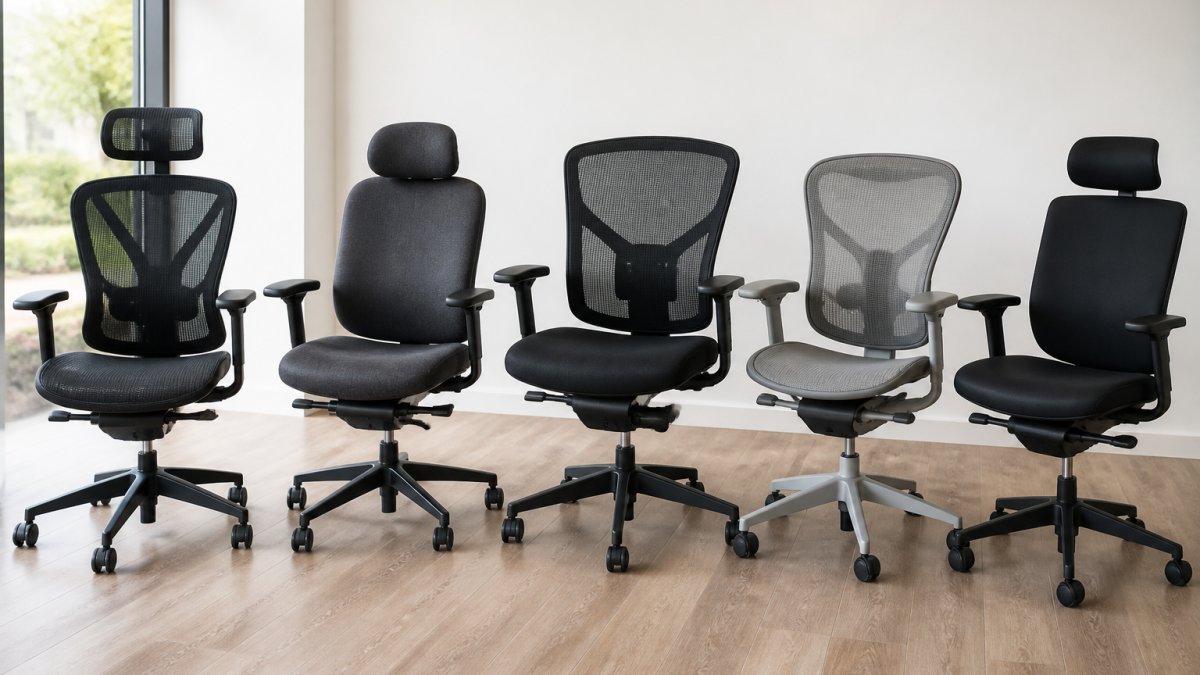
The chairs below range from under $500 to over $2,000, each addressing the core problem: most office chairs force your spine into positions that aggravate pain rather than support healthy alignment.
| Chair Model | Price Range | Best For | Key Feature |
|---|---|---|---|
| Steelcase Leap | $1,200+ | Advanced spinal support needs | LiveBack technology mimics spine movement |
| Herman Miller Aeron | $2,305+ | Long-term durability and breathability | PostureFit SL lumbar support |
| Steelcase Series 2 | $600 | Compact spaces with high performance | Air LiveBack technology |
| Branch Ergonomic Chair Pro | $500 | Home office balance of cost and support | Adjustable lumbar and armrests |
| HON Ignition 2.0 | $400 | Varied workspace adjustability | Synchro-tilt mechanism |
| Eurotech Vera | $450 | Budget-conscious buyers needing lumbar support | Dynamic lumbar support system |
| Colamy Atlas | $250 | Extended sitting on minimal budget | Adjustable headrest and cushioning |
How We Evaluated These Chairs
Each model was assessed based on lumbar support quality, adjustability range, material breathability, seat depth, and real-world comfort. The chairs that made this list offer adjustable lumbar support that moves with the spine, breathable materials that prevent heat buildup, and seat designs that distribute pressure evenly across the pelvic region. Options across the budget spectrum have been included because back pain relief shouldn't depend on your bank account.
Premium Options: Maximum Spinal Support
Steelcase Leap: LiveBack Technology for Dynamic Spinal Alignment
The Steelcase Leap stands apart because its backrest actively responds to your movement. LiveBack technology flexes and shifts as you recline, maintaining spinal alignment throughout your range of motion, your lower back gets support whether you're upright, leaning back, or anywhere between.
The chair includes a flexible seat edge that relieves pressure on the back of your thighs, adjustable 4D armrests for precise arm positioning, and a weight-activated mechanism that responds to your body rather than a one-size-fits-all tension setting.
Pros:
- Exceptional lower back pain relief through dynamic support
- Highly adjustable to fit various body types and sitting preferences
- Durable construction built for intensive daily use
Cons:
- High price point requires significant investment
- Learning curve to optimize all adjustment options
Herman Miller Aeron: PostureFit Support and Breathable Design
The Herman Miller Aeron is the industry standard. Its PostureFit SL system targets your sacral and lumbar regions with precision, and the breathable Pellicle suspension material maintains consistent support while allowing air circulation. The chair comes in three sizes (A, B, C) so support aligns with your natural spinal curves rather than approximating them. Many users report their chairs functioning perfectly after a decade.
Pros:
- Excellent build quality and longevity
- Superior breathability prevents heat and moisture buildup
- Precise PostureFit support for both lower and mid-back regions
Cons:
- Very expensive, among the highest-priced options available
- Pellicle mesh can feel firm to some users initially
Mid-Range Chairs: Balance of Cost and Ergonomic Performance
Steelcase Series 2: Compact Support with Air LiveBack
The Steelcase Series 2 delivers Leap technology in a smaller footprint. Air LiveBack technology provides spinal flexibility ideal for home offices or compact workspaces. The weight-activated mechanism adjusts tension based on your body, and adjustable 4D armrests let you fine-tune arm and shoulder support while maintaining core back pain relief features.
Pros:
- Excellent balance of price and performance
- Compact design without sacrificing ergonomic features
- Air LiveBack provides dynamic spinal support
Cons:
- Less seat padding than larger models may feel firm initially
- Smaller footprint limits recline range slightly
Branch Ergonomic Chair Pro: Professional Support at Accessible Pricing
Branch built this chair for home office professionals needing real ergonomic support without premium pricing. The double-layered mesh back provides breathability while maintaining lumbar support, and the adjustable lumbar system lets you dial in support for your specific spinal curve. The tilt tension and lock mechanisms let you lock it rigid for focused work or allow free movement for dynamic seating.
Pros:
- Affordable compared to premium brands
- Easy assembly and straightforward adjustment
- Double-layered mesh balances support and breathability
Cons:
- Fewer adjustment options than high-end models
- Armrests don't offer as much customization
HON Ignition 2.0: Highly Adjustable for Varied Workspaces
The HON Ignition 2.0 excels at versatility. Its synchro-tilt mechanism coordinates seat and backrest movement, and adjustable lumbar support lets you position support exactly where your spine needs it. The breathable mesh back prevents heat accumulation, durable construction handles daily use, and high adjustability means different team members can each find their optimal position.

Pros:
- Highly customizable for different body types
- Durable construction handles intensive use
- Synchro-tilt mechanism coordinates movement intuitively
Cons:
- Assembly can be time-consuming
- Some users find the adjustment options overwhelming initially
Budget-Friendly Chairs: Effective Support Under $500
Eurotech Vera: Strong Lumbar Support on a Tight Budget
The Eurotech Vera proves effective back pain support doesn't require spending $1,500. The dynamic lumbar support system adjusts to your spine's shape, breathable mesh backrest keeps you comfortable, and adjustable seat depth and armrests let you customize positioning. High-density cushioning provides pressure distribution across your pelvic region, reducing concentrated pressure that triggers pain.
Pros:
- Strong value for the price
- Dynamic lumbar support actually works
- Good for people sitting 6-8 hours daily (Source: National Institute for Occupational Safety and Health (NIOSH) research on back pain)
Cons:
- Limited aesthetic options
- Fewer premium materials than higher-priced models
Colamy Atlas: Headrest and Cushioning for Extended Sitting
The Colamy Atlas addresses a budget market gap by including an adjustable headrest and high-density foam seat cushioning for full workdays. The adjustable lumbar support and breathable mesh back provide essentials for back pain relief without unnecessary complexity. Assembly is straightforward with minimal setup.

Pros:
- Very affordable entry point
- Includes headrest for neck support
- High-density cushioning for comfort during long sessions
Cons:
- Materials feel less premium than higher-priced alternatives
- Limited adjustment range compared to mid-range options
Ergonomic Chair Adjustment Guide: Proper Setup for Back Pain Relief
A perfectly designed chair delivers zero benefit if adjusted incorrectly. Most people never touch the adjustment mechanisms, leaving lumbar support in the wrong position or seat height at an angle that worsens pain.
Lumbar Support Positioning
Your lumbar support should contact your lower back at the natural curve of your spine, roughly at belt line. Sit back fully so your entire back contacts the backrest. Adjust lumbar support height until the curve aligns with your lower back's natural inward curve (lordosis). It should feel supportive, not aggressive. If it feels like something's poking your back, adjust it backward or downward until it provides support without pressure points.
Seat Height and Depth Configuration
Your seat height should position your feet flat on the floor with knees at roughly 90 degrees and thighs parallel to the ground. Feet dangling or knees higher than hips create lower back pressure. Seat depth matters: your seat should support your thighs without pressing into the back of your knees. There should be about two finger-widths of space between the front edge of the seat and the back of your knees.
Armrest and Backrest Alignment
Your armrests should support your forearms with elbows at roughly 90 degrees and shoulders relaxed. Too-high armrests force your shoulders up, creating neck tension. Too-low armrests require reaching down, straining your shoulders. The backrest should support your entire spine from lower back through mid-back. A slight recline (10-20 degrees) benefits most people more than sitting fully upright, which creates lower spine compression.
How to Sit at a Desk With Back Pain: Posture and Positioning

Even the best ergonomic office chairs for back pain can't compensate for poor sitting habits. Your posture throughout the day determines whether your chair relieves pain or enables it.
Spinal Alignment During Work
Sit back fully in your chair so your entire back contacts the backrest. Your spine should maintain its natural S-curve, not flattened against the chair and not arched excessively forward.
Your monitor should be at eye level when you look straight ahead. Too-low monitors force you to round your upper back and crane your neck forward, compressing your cervical spine.
Movement Breaks and Dynamic Seating
Sitting in any position for more than 30 minutes creates pressure buildup in your intervertebral discs and reduces blood flow to your spinal muscles. Movement breaks matter more than perfect posture, stand up, walk around, and change position every 30-45 minutes. Dynamic seating, shifting your position frequently rather than holding one posture, actually reduces pain more than staying still.
Key Features That Matter for Back Pain Relief
When evaluating an ergonomic office chair for back pain, certain features directly impact pain relief while others are nice-to-haves. Understanding which features actually matter prevents you from overpaying for features you won't use.
Adjustable Lumbar Support and Cervical Regions
Adjustable lumbar support is non-negotiable for back pain relief. Your lumbar spine has a natural inward curve (lordosis), and your chair must support this curve rather than flatten it. The best chairs offer both height and depth adjustment so you can position lumbar support precisely at your lower back's curve. Cervical support becomes important if you experience upper back or neck pain.
Seat Depth, Width, and Pressure Distribution
Your seat should be wide enough that your hips don't touch the sides and deep enough to support your thighs without pressing into the back of your knees. Pressure distribution, how the seat spreads your weight across your pelvic region, directly affects comfort during extended sitting. High-density foam and contoured seat pans distribute pressure more evenly than flat, thin cushioning.
Material Quality and Breathability
Mesh backs breathe better than fabric or leather, preventing heat and moisture buildup. However, mesh provides less cushioning than padded backs. The best chairs balance breathability with support, mesh dense enough to provide structure without feeling flimsy.
Back pain during your workday doesn't have to be inevitable. The right ergonomic office chair, adjusted correctly and paired with good posture habits, addresses one of the most common causes of work-related pain.
Frequently Asked Questions
What features should I look for in an ergonomic office chair for back pain?
The most important features are adjustable lumbar support that targets the lower back, a seat depth and width that distribute pressure evenly across your pelvic region, and a breathable mesh or cushioned backrest. Look for chairs with tilt tension adjustment, allowing you to control how far back the chair reclines, and cervical support for your neck. Adjustable armrests reduce strain on your shoulders and neck during long work sessions. A weight-activated mechanism ensures the chair responds to your body's movements, supporting proper spinal alignment throughout the day.
How should I adjust my ergonomic chair to relieve lower back pain?
Start by positioning the lumbar support to match the natural curve of your lower spine, typically at waist height. Your seat height should allow your feet to rest flat on the floor with knees at a 90-degree angle. The backrest should recline slightly, supporting your thoracic spine without forcing you backward. Armrests should align with your elbows when your arms are relaxed at your sides. Adjust the seat depth so there is a finger's width of space between the edge of the seat and the back of your knees. This setup reduces pressure on your vertebral column and promotes healthy sitting posture.
Can an ergonomic office chair replace professional chiropractic care for chronic back pain?
An ergonomic chair is an important tool for managing back pain during work hours, but it works best as part of a broader approach to musculoskeletal health. If you have chronic pain from disc injuries, sciatica, or postural strain, a qualified chiropractor can identify the underlying cause and recommend treatment alongside proper seating. Many people benefit from combining ergonomic support with physical therapy, spinal adjustments, and movement breaks. A professional evaluation helps determine whether your pain requires additional intervention beyond chair adjustment.
What is the difference between budget and premium ergonomic chairs for back pain?
Premium chairs like the Steelcase Leap and Herman Miller Aeron feature advanced technologies such as LiveBack mechanisms that mimic spinal movement, multiple adjustment points for precise customization, and higher-quality materials that last 10+ years. Budget chairs under $500 offer basic lumbar support, mesh backrests, and essential adjustments but may have fewer customization options and less durable components. For users sitting 8+ hours daily with existing back pain, premium chairs often provide superior pressure distribution and spinal alignment, though mid-range options ($400-$800) balance performance and cost effectively.