 how-to
Fix Neck Pain From Desk Job: 7 Proven Strategies
Table of Contents
- Why Desk Jobs Create Neck Pain
- Ergonomic Desk Setup for Neck Pain Relief
- Stretches for Neck Pain at Work
- The Power of Frequent Breaks and Movement
- Stress, Tension, and Neck Pain: The Connection
- Chiropractic Care for Tech Neck
- When to Seek Professional Help
- Frequently Asked Questions
Last Updated: August 18, 2026
Why Desk Jobs Create Neck Pain
Neck pain from desk work is a predictable consequence of poor ergonomics and repetitive strain. When you spend eight hours hunched over a keyboard, your cervical spine bears excessive load while stress tightens your neck muscles, creating a difficult-to-break feedback loop.
Your neck is designed to hold your head upright with minimal muscular effort. But when your monitor sits too low, your keyboard too high, or your chair lacks proper lumbar support, your neck muscles work overtime. This sustained contraction leads to muscular fatigue, trigger points, and chronic discomfort.
Forward head posture, where your head juts forward of your shoulders, adds roughly ten pounds of additional load on your cervical spine for every inch of forward displacement. Fixing neck pain requires addressing both your mechanical setup and movement patterns throughout the day.
At Natural Healing Arts Medical, we've worked with countless professionals experiencing this exact problem. Most desk-related neck pain responds well to systematic ergonomic adjustments combined with targeted stretching and movement breaks. The key is understanding that your desk environment and daily habits work together; optimize one without the other, and you'll see limited improvement.
Ergonomic Desk Setup for Neck Pain Relief
Your workstation is the foundation for preventing and relieving neck pain. Proper alignment often feels awkward at first because your muscles have adapted to poor posture.
Monitor Height and Distance
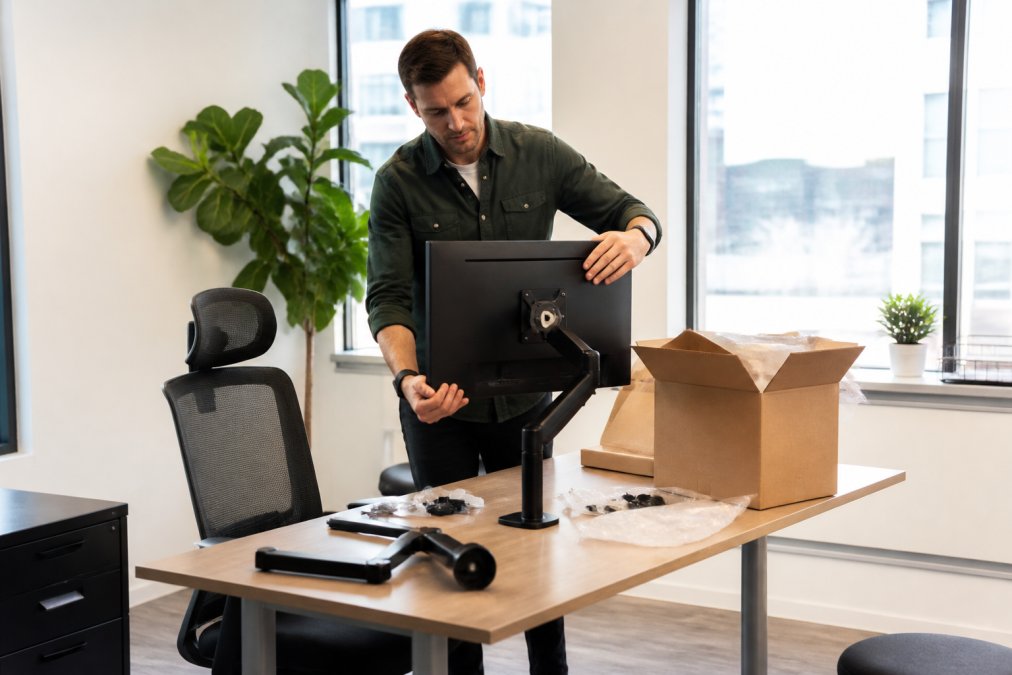
Your monitor should sit at eye level when you're sitting upright with your shoulders relaxed. Position your monitor 20-26 inches away from your eyes, roughly an arm's length. This reduces eye strain while keeping your head in a neutral position rather than tilted downward.
If your monitor is too low, you'll lean forward and drop your head, creating forward head posture. If it's too high, you'll tilt your head back, straining posterior neck muscles. Many people use laptop stands or monitor risers to achieve correct height. If you're using a laptop, a stand becomes essential, pair it with an external keyboard and mouse to maintain proper arm positioning.
Chair Support and Posture
Your chair should support your lumbar spine with a slight natural curve. Proper lumbar support naturally positions your thoracic and cervical spine in better alignment. Look for a chair with adjustable lumbar support or use a lumbar pillow if your current chair lacks it.
Seat height matters too. Your feet should rest flat on the floor with knees at roughly 90 degrees. Your elbows should be at approximately 90 degrees when your hands rest on the keyboard. This keeps your shoulders relaxed rather than elevated, reducing tension in your neck and shoulder muscles.
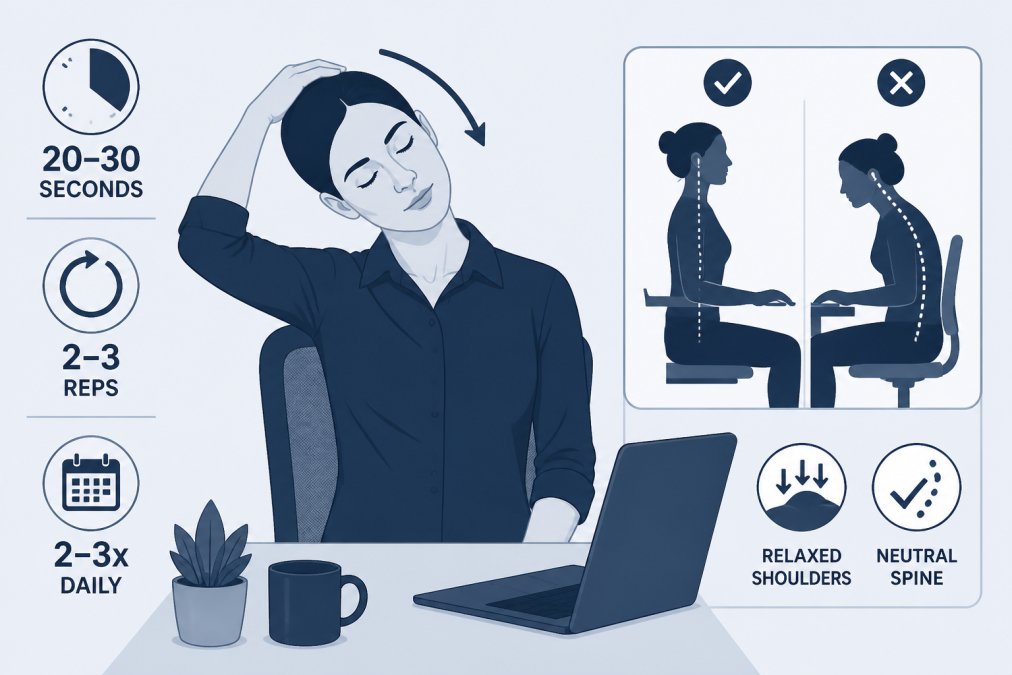
Sit back in your chair with your back against the lumbar support, feet planted, and shoulders relaxed downward.
Keyboard and Mouse Positioning
Your keyboard and mouse should sit at a height where your elbows bend at roughly 90 degrees and your wrists stay neutral. This prevents the shoulder shrugging that accompanies awkward keyboard heights.
If your keyboard is too high, you'll elevate your shoulders, creating sustained tension in your upper trapezius muscles. If it's too low, you'll hunch forward. Position your keyboard on your desk or use a keyboard tray set to the correct height. Your mouse should sit at the same height as your keyboard, close enough that you don't have to reach or rotate your shoulder.
Stretches for Neck Pain at Work
Stretching alone won't fix neck pain from desk work, but it's essential. The key is addressing the specific muscle groups that tighten during desk work: your upper trapezius, levator scapulae, and sternocleidomastoid muscles.
Neck Tilts and Rotations
The neck tilt targets your upper trapezius and levator scapulae. Sit upright, relax your shoulders, and slowly tilt your head toward your right shoulder. You should feel a gentle stretch on the left side of your neck. Hold for 20-30 seconds, then repeat on the other side. Do this 2-3 times per side, several times throughout your workday.
Neck rotations work your sternocleidomastoid and deeper cervical muscles. From an upright seated position, slowly rotate your head to the right, looking over your shoulder. Hold for 20-30 seconds, then rotate to the left. Perform 2-3 repetitions per side. The key is moving slowly; jerky movements can aggravate neck pain rather than relieve it.
Avoid forcing these stretches into pain. You should feel tension, not sharp discomfort.
Shoulder and Scapular Exercises
Your scapular muscles directly influence your neck position. When weak or tight, your shoulders round forward, pulling your head into forward head posture. Scapular retraction exercises strengthen these stabilizers.
Sit upright and squeeze your shoulder blades together, as if pinching a pencil between them. Hold for 5 seconds, then release. Perform 15-20 repetitions, 2-3 times per day. This activates your rhomboid and middle trapezius muscles, counteracting the forward-rounded shoulder position most desk workers develop.
Shoulder shrugging also activates neck and shoulder muscles. Elevate your shoulders toward your ears, hold for 2-3 seconds, then release. Perform 15-20 repetitions. These exercises take 90 seconds and can be done at your desk.
Micro-Break Routines for Your Workflow
The most effective stretching routine is useless if performed only once per day. Your muscles need regular movement throughout the day to prevent tension and trigger point buildup. Set a timer for every hour and perform a two-minute micro-break routine.
During each micro-break: perform 10 neck tilts (5 per side), 10 neck rotations (5 per side), and 15 scapular retractions. This routine takes roughly 90 seconds and disrupts the sustained muscle contraction driving neck pain. Use calendar reminders or a dedicated break timer app to prompt these routines at regular intervals.
These breaks also give your mind rest from focused screen work, reducing stress-related tension that compounds physical neck strain.
The Power of Frequent Breaks and Movement
Your body wasn't designed for eight hours of static positioning. Sedentary behavior is one of the most underestimated drivers of work-related musculoskeletal disorders. Every hour in the same position, your muscles adapt to that position, your range of motion decreases, and your pain risk increases.
Frequent breaks provide physiological necessity, not just psychological relief. When you change positions, you activate different muscle groups and give overworked muscles a chance to recover. This dynamic movement prevents the buildup of tension and trigger points that lead to chronic pain.
Walk away from your desk every hour. Even a five-minute walk activates your posterior chain, counteracting the forward-flexed posture of desk work. Consider a standing desk or desk converter that lets you alternate between sitting and standing every 30-45 minutes, providing the movement variation your body needs without prolonged standing fatigue.
Stress, Tension, and Neck Pain: The Connection
The relationship between stress and neck pain is bidirectional. Stress triggers muscle tension, and muscle tension amplifies your perception of stress. This psychosomatic loop explains why your neck pain often worsens during high-stress work periods, even if your ergonomic setup hasn't changed.
When stressed, your nervous system activates your fight-or-flight response. Your upper trapezius and levator scapulae muscles contract in preparation for action. If this stress is chronic, these muscles remain partially contracted for hours or days, creating trigger points and chronic pain.
Breaking this loop requires addressing both physical tension and underlying stress. Stress management techniques like deep breathing, meditation, or brief walks reduce the neurological drive for muscle tension. Combined with ergonomic and stretching strategies, stress management completes the picture for managing desk-related neck pain.
Recognize when your neck tightness correlates with stressful work periods. This awareness helps you interrupt the pattern; when you notice stress building, consciously relax your shoulders and perform a few neck stretches before tension becomes entrenched.
Chiropractic Care for Tech Neck
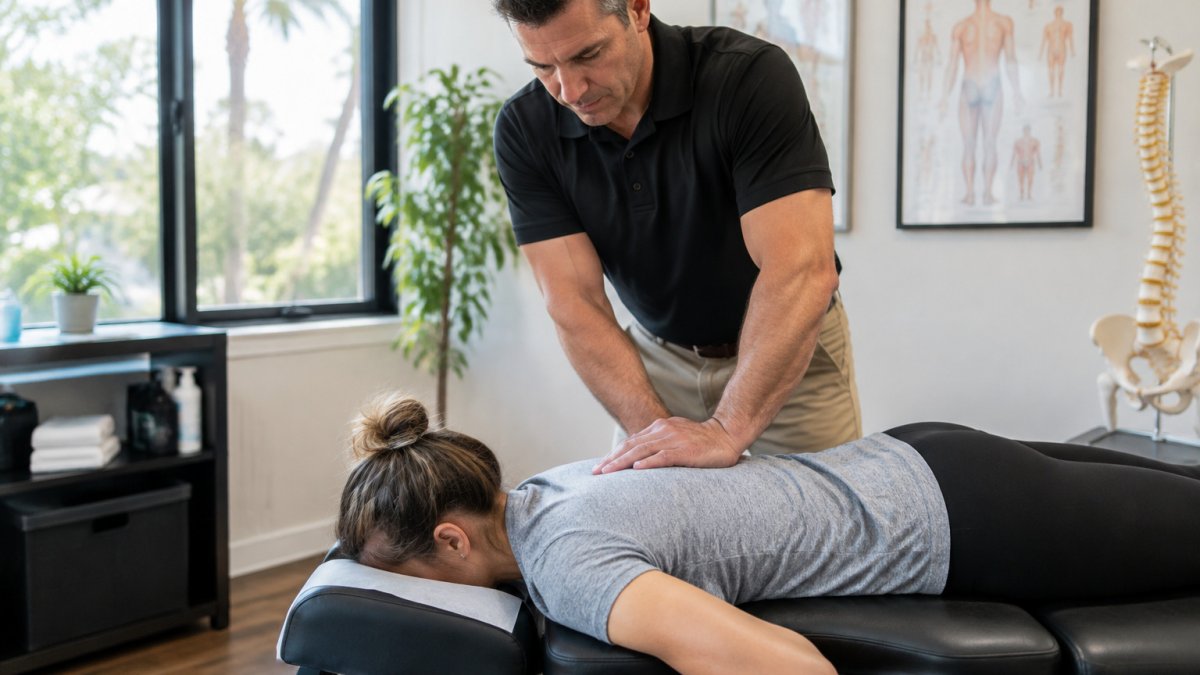
When self-directed strategies like ergonomic adjustments, stretching, and stress management provide limited relief, professional chiropractic care addresses the underlying spinal alignment issues perpetuating neck pain. Tech neck, the forward head posture and cervical spine misalignment common among desk workers, often requires hands-on intervention to fully resolve.
Chiropractors assess your cervical spine alignment and identify specific vertebral subluxations or restrictions contributing to your pain. Treatment typically involves spinal manipulation to restore proper alignment, combined with soft tissue mobilization to address trigger points and muscle tension.
Natural Healing Arts Medical specializes in work-related musculoskeletal disorders, including tech neck and desk-related neck pain. Dr. David Zamikoff and the team develop personalized treatment plans combining chiropractic adjustments with targeted physical therapy. This integrated approach addresses not just your current pain, but the underlying factors driving it.
Chiropractic care typically involves a series of visits rather than a single adjustment. Your chiropractor monitors your progress, adjusts your treatment plan based on your response, and provides ongoing guidance on ergonomic modifications and home exercises. The goal is to restore your range of motion, reduce pain, and prevent recurrence.
When to Seek Professional Help
Consult a healthcare professional if your neck pain persists beyond two weeks despite ergonomic adjustments and regular stretching. Persistent pain suggests underlying structural issues requiring professional assessment.
Seek immediate professional attention if you experience sharp, shooting pain down your arm, numbness or tingling in your hands, severe headaches, or significant loss of range of motion. These symptoms may indicate nerve compression or more serious spinal issues.
If your neck pain is accompanied by dizziness, vision changes, or difficulty swallowing, contact a healthcare provider immediately. These symptoms warrant urgent evaluation.
A qualified chiropractor or physical therapist can perform thorough assessment, identify specific pain drivers, and develop targeted treatment plans. They can also rule out serious underlying conditions and provide specialist referrals if needed.
Neck pain from desk work is preventable and treatable. Start by auditing your workstation setup, monitor height, chair support, and keyboard positioning are non-negotiable. Layer in consistent micro-break routines and stress management, and you've addressed most mechanical and neurological drivers of desk-related pain.
When self-directed strategies reach their limit, professional chiropractic care provides the hands-on intervention needed to restore spinal alignment and resolve persistent pain. Natural Healing Arts Medical offers comprehensive chiropractic assessment and treatment for work-related neck pain, combining spinal manipulation with targeted physical therapy to address both immediate pain and underlying postural patterns. Schedule an appointment to discuss your specific situation and develop a personalized plan for lasting relief.
Frequently Asked Questions
Can you actually fix neck pain from a desk job?
Yes, but it requires addressing the root causes. Most desk-related neck pain stems from poor ergonomics, forward head posture, and muscle tension rather than structural damage. By correcting your workstation setup, performing targeted stretches, taking frequent breaks, and managing stress, many people experience significant improvement within weeks. However, if pain persists beyond 2-3 weeks or worsens, professional evaluation by a chiropractor or physician is important to rule out underlying conditions and develop a personalized treatment plan.
How often should I stretch at my desk to prevent neck pain?
Aim for micro-breaks every 30-60 minutes. Stand up, move around, and perform 2-3 gentle stretches for 30-60 seconds each. This breaks up the repetitive strain cycle and prevents muscle stiffness from accumulating. For desk workers, setting a timer or using calendar reminders helps build the habit. Even brief movement interrupts the sedentary behavior that drives tech neck and forward head posture, which are primary culprits in work-related musculoskeletal discomfort.
What's the difference between desk neck syndrome and regular neck pain?
Desk neck syndrome, also called tech neck, is neck pain specifically caused by prolonged poor posture at a workstation. It typically develops gradually from forward head posture, where your head moves forward of your shoulders, forcing neck muscles to work harder. This creates repetitive strain on the cervical spine and surrounding soft tissues. Regular neck pain can have many causes. If your pain started or worsened after increasing desk time and improves with posture correction and movement, it's likely desk-related. Professional assessment helps determine the exact cause and appropriate treatment.
Should I keep working if my neck pain is severe?
Continuing to work with severe neck pain often worsens the condition because poor posture and repetitive strain continue. However, taking time off isn't always necessary. Instead, modify your workstation, take frequent breaks, avoid aggravating positions, and apply ice or heat as needed. If pain is severe enough to affect your ability to focus or perform your job safely, a brief break of a few days combined with professional care can accelerate recovery. Consult with a healthcare provider if pain is intense, radiates down your arm, or is accompanied by numbness or weakness.